DeHawkinz Blog
  • Home
  • About
  • Privacy Policy
  • Menu Menu

The Return of the lost

Life Thoughts

He’s Back

Yes, after many years absence I am returning to my blog. Posts will appear at unregulated intervals, or not at all, depending on how the whim takes me

To paraphrase Hale and Pace in their Yorkshire Airlines sketch
“I’ll write what I like, How I like, When I like, ‘Cos I’m the blogger right!”

So, look out for more, or not so much, of the same.

October 11, 2026/0 Comments/by Admin
https://blog.dehawkinz.com/wp-content/uploads/2026/10/mv3nnilnev4drc.jpeg 768 768 Admin https://blog.dehawkinz.com/wp-content/uploads/2026/10/dehawkinz-logo-300x90.png Admin2026-10-11 09:11:562026-10-11 10:23:24The Return of the lost

What Use Is Your Personal Learning Network

Internet

Having recently completed the Learning In The Network Age FutureLearn course with University of Southampton, I am going to do a review – Richard style .

One of the key themes of the course is understanding and enabling your Personal Learning Network (PLN), but this raises the question for some of us at least – What is a PLN anyway?

There are plenty of detailed definitions online, but simply put, a PLN is the sources and resources you use to acquire information.  This is to say, not only where do you get your information from, but how do you access this information?  Broadly it can split into online and offline, and can include such a range of things such as tv, newspapers, friends, search engines, social media, libraries, blogs, work place.

Something that surprised a few people on the course is that the way we think about our network may not actually reflect the way we use it, or even be consistent – my weekday PLN is predominantly offline, whereas my weekend PLN is predominantly online – I use my phone a lot during the week to access information, but hardly at all at the weekend.

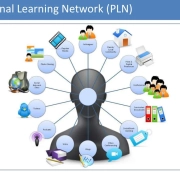
A good way to get a better understanding of your PLN is to map it, or represent it graphically.  The course produced 2 PLN maps for me, one for weekday and one for weekend.

So we come back to the opening question – What Use Is Your PLN?

Knowing where you are getting your information from is useful for several reasons:
Firstly it can help you identify if you are over-reliant on a small range of information sources.  By diversifying your inputs, you can help to reduce bias.
Secondly it can help you get a positive feedback on your resources available.  By reminding and exposing you to other sources and methods of information gathering, it can help you develop new methods of gaining information.

Related to both the above, it can help identify and reduce the impact of echo chambers and filter bubbles.

An echo chamber is essentially where you associate with like-minded people who hold similar opinions – it can be very easy, especially with social media, to surround yourself with people who ‘like’ the same things as you do – this is actively encouraged by the structure of many social media platforms.

A filter bubble is where dis-harmonious, or contradictory information is discarded in favour of information that fits with other information inputs.

An example of the echo chamber and filter bubble in action can be seen in the example below (taken from a real situation, I just changed a few details to protect the individuals concerned)

Bob and Sue are friends on facebook, and are discussing a recently published WHO study on global warming and rises in malaria outbreaks.  Bob is advocating more measures to reduce global warming, whilst Sue is a little more cautious and highlights other studies which reached different conclusions.  Jake joins the conversation, and agrees with Sue.  When Bob points out some criticisms that have been raised with the studies Jake cites, Jake blocks Bob to keep his comments from appearing on his screen.
Sounds petty, yet this happens regularly.  We also see it in less obvious versions in our daily lives.  Being aware of it means we can counter-act it.  If we only read one newspaper, we only get one viewpoint on the news – sometimes I will access news media outlets from outside the UK, just to get a different perspective on the news.

If we are engaging with, and developing our PLN, we open ourselves up to new ideas, and new possibilities.  example, from recent FutureLearn courses I have met people who have given me different perspectives on ideas and knowledge I have had for sometime, and shown new ways of doing the same thing, as well as encouraging me to develop myself.  This is a good incentive to continue to review and develop our PLN.

In summary: a PLN is about more than “learning”, it is about how we relate to the world we live in.  If we want to get the most from the world, we have to engage with it, and this means sometimes breaking outside of our comfort zone – you never know, you may find a new, bigger comfort zone 🙂

May 4, 2020/0 Comments/by Admin
https://blog.dehawkinz.com/wp-content/uploads/2020/05/PLN.webp 768 1024 Admin https://blog.dehawkinz.com/wp-content/uploads/2026/10/dehawkinz-logo-300x90.png Admin2020-05-04 19:30:002026-10-11 10:07:58What Use Is Your Personal Learning Network

Review of Boomerang mail tool

Internet

I would be the first to admit I often download / try out tools and apps and then forget about them after a few days.

Boomerang was one of those things, I don’t remember when I tried it out, but I was recently given a free 7 day upgrade, so I decided to give it a new test.

Boomerang is intended as a productivity tool, and is targeted at Gmail and Outlook users. I have been using the Gmail version, although most features are common on both versions.

You need to download the browser plugin and connect boomerang to your google account to make it work. You need to sign up for the service, and currently you will get a free trial of the top level upgrade for 30 days before it reverts to the free plan ifg you have not paid for an upgrade in the meantime.

Although there are 3 paid plans in addition to the free plan, the first paid plan only offers one additional tool so in effect you only have 2 choices for upgrades.

The Free plan comes with the basic tools, the most obvious is the tool the program is named after – Boomerang Me. It is designed to return an email to your inbox after a certain period of time.

  • Say you read an email, but want to follow-up later when you have more time or at a more appropriate time, you can Boomerang the email until then so it’s out of sight and you can focus on the more urgent emails.
  • Say you received an email invitation of an event and wanted to be reminded closer to the day of the event, you could Boomerang the email so it returns to your Inbox during the week of the event as a reminder.
  • Say you wanted to track the responses of an outgoing email or an email that was recently sent. While composing the email or in the Sent folder, you can enable Boomerang with the condition “If no reply.” This will put that email back in your Inbox if you don’t receive a reply, allowing you to write that follow-up email without having to keep track of replies yourself.

Another tool that comes with the free plan is Notable, this is basically a ‘as-you’type’ guide to how likely you are to get a response to your email. It looks at things like:

  • How long is your email? If your email is too brief or too long, it is likely to get response
  • What language complexity do you use? The more technical or complex your language or sentence structure, the less likely you are to get a response – as the adage goes Keep It Seriously Simple
  • How emotive is your email? The use of emotive words, especially positive words such as great, wonderful, delighted, pleased will increase responsiveness
  • How subjective is your email? The more you express an opinion (the sky looks beautiful or I like fried pickles or we should make more widgets and less sprockets) to facts (the sky is blue or fried pickles cost $2.25 or there is a backlog of orders for widgets) the better the response rate.
  • How polite is your email? sounds obvious, but it is true – politeness pays.

Other tools in the Free plan are Inbox Pause – prevents new emails from appearing in your inbox to prevent being distracted by mail; Click tracking – how often are links in your emails being clicked; Read Receipts – you can request the recipient acknowledges reading your email; Response tracking – be notified if recipients do not reply to your email.

The Pro and Premium accounts give you additional tools, such as more advanced versions of these tools, the ability to set up recurring emails, email analysis, priority support.

Ultimately, how useful these tools are, will depend on your style of email use. If you are the sort of person who is hyper-organised, and already have procedures for managing your email, this may not be of much use other than possibly putting your tools into a single ‘toolbox’

May 1, 2020/0 Comments/by Admin
https://blog.dehawkinz.com/wp-content/uploads/2020/05/Logo-new.png 75 188 Admin https://blog.dehawkinz.com/wp-content/uploads/2026/10/dehawkinz-logo-300x90.png Admin2020-05-01 16:35:442026-10-10 19:45:00Review of Boomerang mail tool

Call Guardian

Tech

Sometimes, when I have had a load of junk cold calls on my mobile – you know the ones – had an accident recently? / claim back your PPI? / – it would be nice if it had call guardian like the landline does (but not enough to make me change phones )

Since getting a phone with Call Guardian, the cold calls went to zero, nil, zilch, none – you get the idea 🙂

An incoming call has a series of potential hurdles to surmount before the caller actually talks to me.

The first barrier is Anonymous Call Reject – like the name suggests, it is designed to reject any calls where the caller is witholding their number, they get a polite message telling them they must disclose their number to be connected.
However ACR has a few weaknesses – because it is designed to only reject calls that actively refuse to disclose callers number it is no protection to number stripping and number spoofing.
The easiest way to understand how ACR works is to imagine it as a butler receiving callers at the door and asking them for their calling card – no card, no entry; have a card, and entry is granted.

Number stripping is where the number is removed, and a blank field presented instead – it does not actively refuse to divulge the number, simply presents no number – it is a bit like giving the butler a blank piece of card, since the butler does not examine the card the butler accepts it and permits entry.
Number stripping can happen unintentionally, in certain telephone networks, where there is no direct dial number for the originating call, and as the number exits the internal network the internal extension number is dropped but no new replacement number for the switchboard substituted.

Number spoofing as the name suggests is where the originating number is exchanged for a different one – a bit like giving the butler someone elses card.
It can be done for perfectly legitimate reasons, for example to ensure any return calls are passed through a centralised call handling system eg our GP surgery, all the GPs have direct lines in their consulting rooms, but they would not want patients phoning directly at random, so the surgery switchboard number is displayed instead.

So, the call passed ACR it now arrives at my phone. It now faces the next test: Call Guardian.

Call Guardian is like an automated PA, screening all incoming calls. It runs through a few steps.

First step is: Is it a known number? ie is it on the whitelist or blacklist?

If it is a known number, and on the whitelist, then the call is put through with no further interaction from the phone.
If it is a known number, and on the blacklist, then the call is rejected and the caller informed that their call has been refused.

If it is not a known number, the next step is to identify the caller.

The caller is played a brief message asking them to identify themselves. The phone then informs me that I have an “announced call” and plays the callers message.
I now have 3 choices:
accept call – pick up the phone and talk to the caller
reject call – play the caller a message telling them their call has not been accepted
send to voicemail – direct caller to leave a message.

With the mixture of these, most cold callers and automated diallers are kept away, as they want to talk to a person not an automated response system.

Incidentally, you do not need worry about an old friend who hates machines getting locked out, the phone still records the incoming call numbers, so you can see who called, even if the phone did not ring, and ring them back / add their number to allow list

April 27, 2020/0 Comments/by Admin
https://blog.dehawkinz.com/wp-content/uploads/2026/10/dehawkinz-logo-300x90.png 0 0 Admin https://blog.dehawkinz.com/wp-content/uploads/2026/10/dehawkinz-logo-300x90.png Admin2020-04-27 19:06:002026-10-11 13:26:50Call Guardian

How Anonymous Is Anonymous?

Internet

In recent years there has been a rise in awareness of the issue of online anonymity, but what does it mean and is it realistic?

In broad terms anonymity can be taken to mean the ability to have your individual identity protected.

Most tools and sites take the approach of making you look as similar in appearance to other users, hiding your personal identity behind a shared identity.  This is similar to dressing up in a chicken suit when taking part in a marathon.  If you can persuade other competitors to also dress up in chicken suits, you all appear the same and so your personal identity is concealed.  The most common way a website can detect your identity is via your web browser, as this is the means by which you interact.  Sites like Panopticlick attempt to illustrate how similar or different your settings are to other users to determine how anonymous your connection is.

There is another way of assessing anonymity and this is behavioural anonymity – do you behave like other users?  Taking the previous analogy of the chicken suit runners, you may look like the other chickens, but taken as a whole, most runners wear typical running outfits and the chickens stand out from the rest.  Sites like whoer look at the issue of anonymity from this perspective, and assess how similar you are to other internet users behaviour, hiding in plain sight in effect.

There is a debate about which method is better, supporters of the first method argue that behavioural anonymity discourages people from protecting their identity.  Supporters of the second method argue that if you make yourself identifiable by attempting to avoid detection you defeat the first objective of anonymity of being unidentifiable, and so attract more attention.

The rise of sites using detection analytics to prevent ‘anonymous’ users from using them is testimony to the fact that the battle is being fought on several fronts.

Whilst it is not impossible, the two methods are very different in their approach and so generate difficulties in reconciling them – the more you tend towards one method, the more you tend away from the other.  The reality is probably that you will never achieve perfect anonymity, so the question is
“what degree of anonymity is acceptable?” 

Every one will have a different, and personal answer to that question.

April 21, 2020/0 Comments/by Admin
https://blog.dehawkinz.com/wp-content/uploads/2026/10/dehawkinz-logo-300x90.png 0 0 Admin https://blog.dehawkinz.com/wp-content/uploads/2026/10/dehawkinz-logo-300x90.png Admin2020-04-21 22:16:002026-10-10 19:45:18How Anonymous Is Anonymous?

Improve Your Searching

Internet

Search Engines are a great tool, but often they can produce an overwhelming number of results that makes it harder to work out which are the best results for you.

There is no simple answer to this problem, in part it is a skill that comes with practice, the more you do it, the easier it becomes.


However I was recently asked how to start on the process of being a better search engine searcher, so here are a few pointers:
I start by trying to define the search question as precisely as possible in as few words as possible, then I try to remove as many ‘superfluous ‘ words from the question to generate the keywords, these then become my search term

If I see a lot of unwanted results coming up, I exclude them by minus-ing them in the keyword list (plus means AND minus means NOT in logic operations for search engines)
example: I was fairly sure that google was now officially a verb and not just a casual expression, as in “I will google that”
initial (human) question
>> is google defined as a verb in the dictionary? <<
but search engines do not always understand sentences since they try to extract the keywords to search against so I reduced it to
>> google verb dictionary  <<
this worked, but lets assume I was getting a lot of results for google the company and google the website, to emphasise the keywords I did want and the keywords I did not want I could write the refined search as
>> google +verb +dictionary -website -company  <<
in logic terms this equates to google AND verb AND dictionary NOT website NOT company
Note: the advanced search feature on most search engines will do this for you, I just short-cut what they are doing

Sometimes you have to think laterally if your initial search is not producing the results you want
example, I was recently asked to help someone who had seen a craft bag on wheels with side pockets in a catalogue but it was out of stock, she tried searching online but was having no luck as the results kept giving the wrong sort of bags. So I looked at the picture in the catalogue, and saw it looked like the little pull-along bags I see at on my daily commute. So I searched
>> pull-handle travel bag pockets <<
and soon found a few likely candidates for her, it was a case of thinking not ‘what is it called ‘ but rather ‘what is it and what can it be used for.

April 20, 2020/0 Comments/by Admin
https://blog.dehawkinz.com/wp-content/uploads/2026/10/dehawkinz-logo-300x90.png 0 0 Admin https://blog.dehawkinz.com/wp-content/uploads/2026/10/dehawkinz-logo-300x90.png Admin2020-04-20 18:58:002026-10-10 19:45:25Improve Your Searching

How Good Is Your Password

Internet

We are always being encouraged to set a good strong password, but what is a good password and how do you create it?

Recently, advice on passwords changed – for many years the advice had been to choose long, highly complex passwords featuring letters, numbers and special characters, and indeed many password checkers still rely on this to decide if a password is a good or bad password.  However this has been questioned recently for several inter-related reasons: namely it failed to take into consideration that people are predictable, so they either wrote the password down somewhere; or they used logical words with predictable substitutions (eg pa$$w0rd); or they simply used one of the popular passwords (eg 123456, qwerty, 1q2w3e4r, mynoob, password)

The logic behind the complex password is that it makes it harder to brute-force crack it by increasing the number of possible combinations, ie a 8 character password using just lower case characters has 208,827,064,576 possible permutations, if you include upper and lower case characters that becomes 53,459,728,531,456 possible solutions, include numbers as well and it becomes 218,340,105,584,896 possible solutions, if you were to include just the 10 symbols above the number keys it would expand to 722,204,136,308,736 possibilities.  So each time the increase in complexity adds a higher factor of possible solutions, and hence will take a computer longer to cycle through the possible solutions.

The online password tester predicted times to crack these are using a modern desktop pc:
qscfthnj (8 lowercase characters) – 9 minutes
QscFthnJ (8 upper and lowercase characters) – 2 days
Q5cFthnJ (8 upper, lowercase and numeric characters) – 6 days
Q5cFthn* (8 upper, lowercase, numeric and special characters) – 6 months

However, as I pointed out before – these predictions of password strength are slightly misleading because they work purely on the complexity of the password and not the content.  People are not computers and do not easily remember random strings, so they either use a ‘memorable’ password (such as a pet’s name, favourite team, etc) or they create one or two ‘strong’ passwords and reuse them for all their passwords (both bad ideas) – I am guilty of this too, I have created passwords based on memorable words and then used them on multiple sites. (Kl33nex is a lot easier to remember than Of7gcP6 for example)

So what is to be done?  The current suggestion is to use word strings, eg onetwothreefour as they are more easily memorable and hopefully generate longer passwords.  However this is a flawed idea, it overlooks the human tendency to still use memorable (ie predictable) words in the string, and most password cracking tools will use dictionary attacks, where they try known words in combination and with obvious substitutions first.

A better solution is to use a password manager in combination with password generator to create and store stronger, random passwords.  There are many password managers available, with different features and price-tags. Different people will opt for different solutions based on their needs and attitudes towards risk and convenience.

But what is a password manager anyway?  At its most basic it is a list of passwords and login details stored in a single location.  Ideally you would want the storage to be ‘locked’ but still reasonably accessible.  A simple, but effective enough solution would be spreadsheet or text document that is password protected, ideally without too obvious a name – eg passwords.xls might be a hint to someone looking through your files what is inside 🙂  Dedicated password managers can offer additional features, such as the ability to auto-complete website login forms, the ability to share the passwords between devices, the ability to generate secure passwords.

As I said previously there are dozens of password managers, each with their relative strengths and weaknesses, and what one person may consider to be a strength another person may consider a weakness.  Things to consider when choosing a password manager:
How strong is the encryption on the storage?
Does it integrate with other software, eg browsers?
Will it generate passwords, and how much control do you have over this process?
Can it be used on just one device, or multiple devices?
Is it online or offline ie can you access it anywhere with an internet connection, or do you need to install it to the device first?

My preferred solution is KeePass because it is platform independent (works on just about anything – windows, linux, mac, android, ios, blackberry, etc), it is free, the app is separate to the password database, password databases can be secured by password or keyfile, auto-complete passwords can be sent in multi-pass mode (prevents keyloggers capturing the password en-route), uses AES encryption, is totally portable – can be run from a USB stick without installation on Windows systems, and is OSI certified.  NOTE: for me the fact that it is not by default an online app is a bonus (although you could upload the password databases to an online file sharing service) but others may find this a drawback, not least the fact you manually have to synch separate copies if installed to multiple devices – horses for courses.
other password managers include:
1Password
Dashlane
LastPass
LogMeOnce
Keeper
Password Boss
Roboform
Sticky Password
True Key


April 15, 2020/0 Comments/by Admin
https://blog.dehawkinz.com/wp-content/uploads/2026/10/dehawkinz-logo-300x90.png 0 0 Admin https://blog.dehawkinz.com/wp-content/uploads/2026/10/dehawkinz-logo-300x90.png Admin2020-04-15 22:07:002026-10-10 19:45:39How Good Is Your Password

Why HTTPS Is Not The Security Blanket You Think

Internet

In the past few years there has been a rise in the number of security experts advocating people actively seek sites with https / ssl certificate protection, and with reason.  However in the drive to push https, many have been guilty of unintentionally over-stating the benefits of SSL certificates.

Browser companies are just as culpable with the use of padlocks and the use of words such as ‘secure’ to give a mis-leading impression of what https means.  To be clear, all the https padlock means is that the data between your browser and the site is encrypted and can not be read in transit by a third-party.  It makes no claim as to the reliability or accuracy of either the site or the content on the site.  In the past year, over 15,000 SSL security certificates have been issued to sites known or believed to be engaged in phishing activities.  This means these sites will display the ‘secure’ padlock symbol when visitors land on their site, and many will be duped into believing the padlock means the site is safe to use, in part because of the exhortations by experts to seek sites with the hhtp padlock symbol in the address bar.

The problem lies in what and how a SSL certificate is and how it is issued.  At its most basic, a SSL certificate simply means that a third-party, the Certificate Authority (CA), confirm that the domain name is valid, and that the owner has applied for a SSL certificate.  The actual checks on the owner are minimal to non-existant for the simplest certificate (Domain) since all it checks is that the certificate being presented matches the one registered to that domain, there is no check made on who the owner is, or how reliable or otherwise they are.  Next level up from Domain is Organizational certificate, this incorporates third-party checks on the identity of the owner of the domain.  However, it is very hard to tell without actually hovering over the padlock what type of certificate (Domain or Organizational) the site is using, so the benefits can be hard to quantify.

This means that a fraudster can get a free SSL certificate, and use this apparent ‘security’ to gain a degree of trust that visitors should not be granting.  Education is obviously a critical part of the equation, teaching people to be more understanding of the technology used, and what it does and does not do (and this includes the ‘educators’ and experts – they must be more clear in explaining security principles).

Beyond that though, there is a question of should there be a better way of displaying security in the browser, starting with a consistent way of describing and rating site security – different browsers can give differing opinions and presentation on the security of a site, especially those with mixed layers of security, leading to some confusion over the safety or otherwise of sites.  Several organisations have attempted to do this, such as the Web Of Trust initiative, but that was fraught with the fact that ordinary users were rating sites, and often they were failing to understand issues they were experiencing resulting in mis-rating the wrong sites, which was compounded by near zero moderation or review of ratings granted.  Some better initiatives were the site seal by CAs issuing Organisational and Enterprise SSL certificates which attempted to reflect the higher degree of scrutiny that the owner under went to gain the certification.   However since these were unregulated, it could be hard for a visitor to tell the difference between say a Thawtes site seal and Acme site seal.

April 14, 2020/0 Comments/by Admin
https://blog.dehawkinz.com/wp-content/uploads/2026/10/dehawkinz-logo-300x90.png 0 0 Admin https://blog.dehawkinz.com/wp-content/uploads/2026/10/dehawkinz-logo-300x90.png Admin2020-04-14 22:02:002026-10-10 19:45:46Why HTTPS Is Not The Security Blanket You Think

This Crazy Thing Called Life

Life Thoughts

One of the complaints I often hear is that I am contrary, and in many ways I am.

This however is a reflection of my personality, formed over years of life experiences.  I can seem open and closed, talkative and quiet, outgoing and reserved, the list goes on.  I have developed \’coping strategies\’ over the years, and this means I react differently in different situations and how I feel about them, and even from day to day I may react differently in the same situation.

One thing that often confuses is that I have a multitude of ‘faces’ to help me deal with what is happening around me, bizarrely to many I can seem very open and sharing, and yet there is a mental disconnect – what I say does not affect what I am thinking and feeling, this can result in people thinking that they have a connection that simply does not exist.

I am in some respects a “people person” in that I can engage with and socialise with people, and yet I am also a isolationist, happy with my own company.  I need people to inspire and encourage me, left to my own devices I retreat inwards, but I need space to be alone – if I can not do it physically, I do it mentally, I retreat inside my mind.

A good example of this is distant learning.  I started a web-design course a few years ago that was distant learning, and I struggled with it, I felt my tutor was not interested in my questions and not engaged with me.  Ultimately I dropped it.  By contrast, FutureLearn uses a MOOC approach, where tutors and students can interact with each other in a kind of giant virtual classroom – I study when and where I like, but can still chat with other students and ask questions – even at 1am in bed 🙂

My life is a constant, non-stop conversation – if it is not a monologue, it is a dialogue.  Conversations with multiple people regularly take place in my head.  I tell myself stories, I discuss things occurring in my life, I work out problems and issues I predict the future and revisit the past, silence is never there – probably when I am sleeping I am talking to myself.

I have possibly confused psychologist when they ask questions like “do you hear voices in your head?” because the answer is yes, I do.  and they do tell me what to do.  but that is life – people telling me what to do – sometimes I agree, and sometimes I do not.

Am I “crazy”?  possibly, but if I am crazy then it is normal for me to be crazy.  I have no plans (at the moment) to run amok, or take all my clothes off and dance to the rites of spring or build a tower to the moon

An anomaly that is in part a reflection of the way I see the world is that I do not ‘see’ things in the conventional sense, especially people.  I have impressions that form my view – as an example, I can not describe even those people closest to me, their ‘image’ is as much a series of vague intangibles rather than a specific physical attribute.  This makes me terrible at recognising people – I see similarities where others see none, and fail to spot similarities that everyone else can see.  Just don’t ask me to do a identity parade, I would no doubt accuse the Chief Inspector of being the thief that stole my wallet!  I am probably a celebrities dream, I could pass them in the street or be sat next to them in a bar and not even notice.

In short, if you think you know me – you are doing better than anyone else ever has 🙂

April 13, 2020/0 Comments/by Admin
https://blog.dehawkinz.com/wp-content/uploads/2026/10/dehawkinz-logo-300x90.png 0 0 Admin https://blog.dehawkinz.com/wp-content/uploads/2026/10/dehawkinz-logo-300x90.png Admin2020-04-13 18:37:002026-10-10 19:45:57This Crazy Thing Called Life

Buzz Words

Life Thoughts

The thing about language is that it is constantly changing and evolving, and words and expressions come in and go out of fashion.

Often though, a new buzz word or phrase will become mis-used and the meaning corrupted.

A good example of this is the recent rise of the use of the expression “cognitive dissonance”

I often see it being used to refer to someone who is happily or unwittingly holding contradictory views, yet this is an incorrect use of the term.  Cognitive dissonance is actually described as

“anxiety that results from simultaneously holding contradictory or otherwise incompatible attitudes, beliefs, or the like”
Dictionary.com

Notice that when correctly used, cognitive dissonance introduces mental discomfort caused by the awareness that the views are incompatible with each other – so the person can not honestly be described as ‘happily holding’ or ‘unwittingly holding’ contradictory views, since this would not bring about the required dissonance.

Sadly, most people will continue to blithely mis-use words because they do not understand the true meaning, but the word or phrase has become ‘popular’ and apparently a social imperative has arisen to be seen to be using the ‘in’ words, so they continue to mis-use them and perpetuate the mis-use in doing so.

April 8, 2020/0 Comments/by Admin
https://blog.dehawkinz.com/wp-content/uploads/2020/04/confused.jpg 338 600 Admin https://blog.dehawkinz.com/wp-content/uploads/2026/10/dehawkinz-logo-300x90.png Admin2020-04-08 19:47:002026-10-10 19:46:05Buzz Words
Page 1 of 212

Pages

  • About
  • Privacy Policy

Categories

  • Internet
  • Life Thoughts
  • Politics
  • Tech

Archive

  • October 2026
  • May 2020
  • April 2020

Interesting links

Here are some interesting links for you! Enjoy your stay :)

Pages

  • About
  • Privacy Policy

Categories

  • Internet
  • Life Thoughts
  • Politics
  • Tech

Archive

  • October 2026
  • May 2020
  • April 2020
© Copyright - DeHawkinz Blog - Enfold WordPress Theme by Kriesi
Scroll to top Scroll to top Scroll to top

This site uses cookies. By continuing to browse the site, you are agreeing to our use of cookies.

Accept settingsHide notification onlySettings

Cookie and Privacy Settings


How we use cookies

We may request cookies to be set on your device. We use cookies to let us know when you visit our websites, how you interact with us, to enrich your user experience, and to customize your relationship with our website.

Click on the different category headings to find out more. You can also change some of your preferences. Note that blocking some types of cookies may impact your experience on our websites and the services we are able to offer.

Essential Website Cookies

These cookies are strictly necessary to provide you with services available through our website and to use some of its features.

Because these cookies are strictly necessary to deliver the website, refusing them will have impact how our site functions. You always can block or delete cookies by changing your browser settings and force blocking all cookies on this website. But this will always prompt you to accept/refuse cookies when revisiting our site.

We fully respect if you want to refuse cookies but to avoid asking you again and again kindly allow us to store a cookie for that. You are free to opt out any time or opt in for other cookies to get a better experience. If you refuse cookies we will remove all set cookies in our domain.

We provide you with a list of stored cookies on your computer in our domain so you can check what we stored. Due to security reasons we are not able to show or modify cookies from other domains. You can check these in your browser security settings.

Other external services

We also use different external services like Google Webfonts, Google Maps, and external Video providers. Since these providers may collect personal data like your IP address we allow you to block them here. Please be aware that this might heavily reduce the functionality and appearance of our site. Changes will take effect once you reload the page.

Google Webfont Settings:

Google Map Settings:

Google reCaptcha Settings:

Vimeo and Youtube video embeds:

Privacy Policy

You can read about our cookies and privacy settings in detail on our Privacy Policy Page.

Privacy Policy
Accept settingsHide notification only